
 Kia Sorento: Menu : My Music Mode
In My Music mode, press the
 key to set the Repeat, Random, Information,
Delete, Delete All, and Delete Selection features.
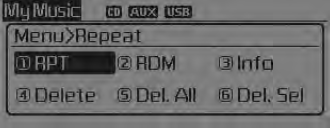
Repeat
Press the  key
key
![RPT] through the TUNE knob or](images/books/3/1/page.h375.gif) Set [
Set [![RPT] through the TUNE knob or](images/books/3/1/page.h376.gif)
RPT] through the  TUNE knob or
 key.
key.
Repeats the currently playing song.
❈ Press RPT again to turn repeat off.
Random
Press the ![Set [ RDM] through the](images/books/3/1/page.h379.gif) key
key![Set [ RDM] through the](images/books/3/1/page.h380.gif)
Set [  RDM] through the
 TUNE knob or
 key.
key.
Plays all songs in random order.
❈ Press RDM again to turn random off.
Information
Press the  key
key
![Info] through the](images/books/3/1/page.h385.gif) Set [
Set [
 Info] through the
 TUNE knob or
 key.
key.
Displays information of the current song.
❈ Press the 
key to turn off info display.
Delete
Press the 
key ![Delete] through the](images/books/3/1/page.h391.gif) Set [
Set [
 Delete] through the
 TUNE knob or
 key.
key.
Deletes currently playing file
In the play screen, pressing delete will delete the currently playing song.
Deletes file from list
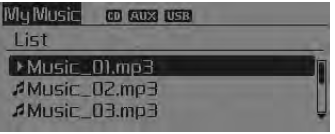
➀ Select the file you wish to delete by using the
 TUNE knob.
➁ Press the  key
key
and select the delete menu to delete the selected file.
Delete All
Press the  key
key
![Del.All] through the](images/books/3/1/page.h399.gif) Set [
Set [
 Del.All] through the
 TUNE knob or
 key.
key.
Deletes all songs of My Music.
Delete Selection
Press the ![Set [Del.Sel] through the](images/books/3/1/page.h403.gif) key
key![Set [Del.Sel] through the](images/books/3/1/page.h404.gif)
Set [ Del.Sel] through the
 TUNE knob or
 key.
key.
Songs within My Music are selected and deleted.
➀ Select the songs you wish to delete from the list.
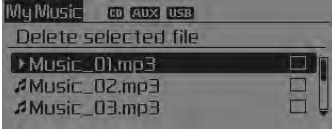
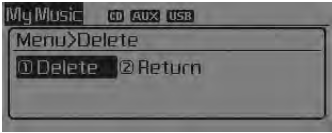
➁ After selecting, press 
key and select the delete menu.
My Music
 Folder Random
 Bluetooth
See also:
Description
Limitations Of The Navigation system
GPS Signal Reception State
As the GPS satellite frequency is received/transmitted in straight lines,
reception may not work if hiding devices are pla ...
Opening the tailgate
The tailgate is locked or unlocked when all doors are locked or unlocked
with the key, transmitter (or smart key) or central door lock switch.
If unlocked, the tailgate can be opened by press ...
Component Location (2)
1. Door outside handle button
2. Door outside handle
3. Bumper antenna
4. Tailgate switch
...
Manuals list
- Kia Sorento MQ4 2021-2026 Owners Manual
- Kia Sorento XM 2011-2015 Owners Manual
- Kia Sorento XM 2011-2015 Service Manual
