

Kia Sorento: LCD Modes - Lcd display (If equipped) - Features of your vehicleKia Sorento: LCD Modes

Kia Sorento (XM, 2011-2015) Owner's Manual / Features of your vehicle / Lcd display (If equipped) / LCD Modes

Trip Computer

This mode displays driving information like the tripmeter, fuel economy, and


This mode displays driving information like the tripmeter, fuel economy, and so on.

Service

  
This mode informs of service interval (mileage or days) and warning messages


This mode informs of service interval (mileage or days) and warning messages related to TPMS or washer fluid.

User Settings

On this mode, you can change settings of the doors, lamps, and so on.


On this mode, you can change settings of the doors, lamps, and so on.

A/V (if equipped)

This mode displays the state of the A/V system.


This mode displays the state of the A/V system.

Turn By Turn (if equipped)

This mode displays the state of the navigation.


This mode displays the state of the navigation.

Service Mode

Service Interval
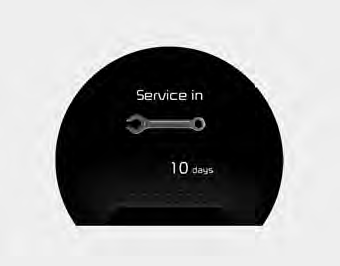
Service in


Service in

It calculates and displays when you need a scheduled maintenance service (mileage or days).

If the remaining mileage or time reaches 900 mi. (1,500 km) or 30 days, "Service in" message is displayed for several seconds each time you set the ignition switch or Engine Start/Stop Button to the ON position.
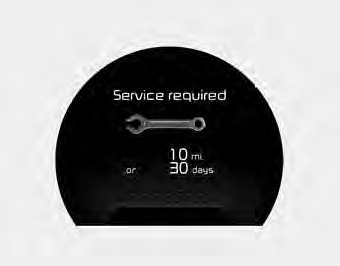
Service required


Service required

If you do not have your vehicle serviced according to the already inputted service interval, “Service required” message is displayed for several seconds each time you set the ignition switch or Engine Start/Stop Button to the ON position (The mileage and time changes to "---").

To reset the service interval to the mileage and days you inputted before:

Press the RESET button  for more than 1 second.
for more than 1 second.

Service in OFF


Service in OFF

If the service interval is not set, “Service in OFF” message is displayed on the LCD display.

✽ NOTICE

If any of the following conditions occurs, the mileage and days may be incorrect. The battery cable is disconnected. The fuse switch is turned off. The battery is discharged.

Master Warning Mode (if equipped)

This warning light informs the driver the following situations


This warning light informs the driver the following situations

The Master Warning Light illuminates when more than one of the above warning situations occur. At this time, the LCD Modes Icon will change from ( ).) to (
If the warning situation is solved, the master warning light will be turned off ).


If the warning situation is solved, the master warning light will be turned off and the LCD Modes Icon will be changed back to its previous icon ( User Settings Mode). (ex : refill the washer fluid)


Lcd display (If equipped)
...
User Settings Mode
Description On this mode, you can change setting of the doors, lamps, and so on. Door Auto Door Lock (if equipped) • Off: The auto door lock operation will be deactivated. • Speed:...
See also:

Components Location
1. Purge Control Solenoid Valve (PCSV) 2. Vapor line 3. Fuel tank air filter 4. Canister Close Valve (CCV) 5. Canister 6. Fuel Tank Pressure Sensor (FTPS) ...

Telemetics Unit (TMU) Inspection
1. After replacing the TMU unit, access Dealer Engineering Mode in head unit. (Refer to MTS system - "TMU Dealer Engineering Mode") 2 ...

Compressor Installation
1. Make sure the compressor mounting bolt with the correct length is screwed in. Tighten the mounting bolts with the specified tightening order. ...

Copyright © xm.ksmanual.com 2014-2026